
So, I have this 180 meters deep borehole well that was forgotten about and not used for like 20 years. The steel rope broke and sent the water pump, galvanized pipes and electrical wires down to the bottom, a situation that made me feel lost and unable to decide where to start from to restore it, whether fish and pull out the stuck objects or do a video inspection to see what is happening inside and whether there is still water in there or not.
Table of contents (click to expand)
Fishing stuck objects inside the borehole well
Fishing hook in action
Borehole well video inspection service quote
Materials I used to build my DIY inspection camera
Step 1: Fit the electronics inside the plastic boxes
Step 2: Optic fiber cable + PP rope spool
Step 3: Secure and organize all connections
Step 4 : Plug & Play (Camera Drop Simulation Test)
Fishing stuck objects inside the borehole well
After watching a few well fishing videos on YouTube, I felt a bit motivated to
give it a try. As a first step I designed a fishing tool (hook) from
steel bars to extract the trapped objects inside the well, this hook will be
attached to a 24mm Polypropylene plastic rope, and by lowering the rope
to the max depth and pulling/shaking randomly until it grabs something, with
the help of a tractor the stuck objects can be removed. For reference, you can
download the Sketchup design file from
3D Warehouse.

|
| Borehole well Fishing Hook |
Fishing hook in action
The well fishing hook I made worked well, I was able to extract a few
pipes and bits of the electrical cable
-as you can see in the video below- then after a few tries the hook was
not catching anything, every time I throw and pull again the hook comes empty,
it did not grab anything, while I was hoping for the hook to catch the
water pump (that weights more than 100kg) I was very curious to see
what is happening inside, and started thinking is it time for a
camera inspection?
Borehole well video inspection service quote
I called a few local guys and companies who offer
well inspection and extraction services and they told me they will
charge huge price for either camera rental or well video inspection, and I was like wow, for the same budget I can make
my own DIY camera that will allow me to inspect multiple times and
assist fishing in the next sessions, I was not ready to be deceived for one
single inspection or pay just to see what is stuck in there, but curiosity
killed the cat...
The camera design idea
I did some online search in hope to find anyone sharing information on how to
make a low budget borehole well inspection camera, but I couldn't
find anything interesting except one case but I was not convinced with the
approach.
Initial idea
My initial Idea was to send down the well an
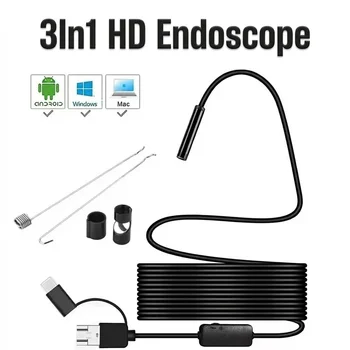
Android waterproof USB camera (endoscope), they come in 5 up to 20
meters and available at Aliexpress, I was hoping to extend the
USB signal via any possible extender whether ethernet or
fiber optic to see the image live on my PC.

|
| DIY inspection Camera - Initial Design Diagram |
I quickly hit the wall, I was disappointed after testing these USB endoscopes, I found that they are horribly low definition (480p), they are made only to inspect small areas like vehicle engines or kitchen drain pipes, they have small lens focal, low led intensity and they are not suitable to inspect a 355 mm diameter borehole well pipe (NPS 14), may be the only advantage is that they are waterproof and have USB connection, other than that they are useless for my case. Add to this I found that :
-
USB extenders are very expensive and the price ranges between $200-$1000
depending on the quality, USB version 2.0 or 3.0, and type
Ethernet, fiber optic or both.
-
Ethernet extenders are limited to 100m (with risk of latency or signal
loss).
- Both Require PC, and risk the USB camera won't work remotely.
The problematic
Since the challenge is to make a DIY borehole well inspection camera for less than the price of a video inspection, we want to extend live video signal + electrical power up to 200 meters / 656 ft with the cheapest available products, we want a decent camera with high resolution, that can capture and output live video, the ensemble to be plug & play compatible, without solving chicken and egg mysteries.

|
|
We want the design to be an easy Plug and Play setup |
Eureka ! KVM over IP
While searching and comparing extenders I stumbled upon
KVM fiber optic extenders, they extend HDMI signal over fiber optic cable up to 20 KM,
they are cheap and you can find them at Aliexpress for less than $100.

|
| KVM extender back interface ports |

|
| KVM extender front interface ports |
I realized at that moment that I have to follow a different approach,
instead of extending USB why not extend HDMI signal? but first I
have to find a camera that outputs live video via HDMI, and guess what?
GoPro ! yes the very first edition.
GoPro and
similar action camera
clones, have wide lenses (FOV up to 170°), they are waterproof, have
micro HDMI output and they can output live video, so apparently
they may do the trick? indeed ! that's what many people have tried to inspect
wells but no one did it live at profound depths!

|
|
GoPro like action camera
|
Alright what do we have so far? A KVM and an action camera with HDMI output, what else remains? a monitor to watch the live video capture, apparently we getting closer, the main idea is now clear and technically doable: we are going to send HDMI signal from an action camera at 200 meters deep using KVM HDMI extender via fiber optic cable and once we are above we convert the HDMI video signal to USB using an HDMI Video Capture Card, hook the card to a smartphone and watch. The final setup is shown in the diagram below.

|
| DIY inspection Camera - Final Setup Diagram |
Materials I used to build my DIY inspection camera
Materials I used to build my inspection camera are listed in the tables below: If you purchase through these links, it helps support these long-term technical builds at no extra cost to you. However, for the secondary parts like the plastic boxes, PP plastic rope, and the wheel pulley I recommend buying these at your local hardware store.
Electronics
| Items | Preview / Link | Description / Notes |
|---|---|---|
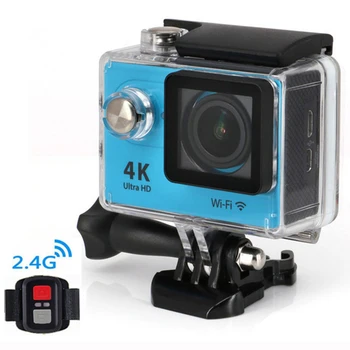
| Action Camera |
|
1080P (GoPro clone) action camera with micro HDMI output to watch live without the need to record or use any memory card, HD quality image you can zoom and see details after the inspection. |
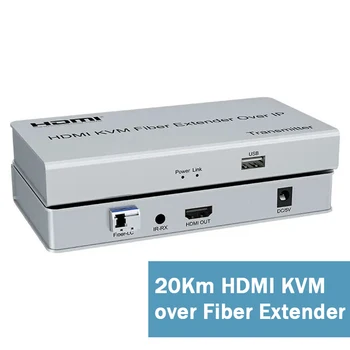
| KVM Extender |
|
20km KVM HDMI extender over fiber 5V 1.0 Amps can be powered using the
power-banks, make sure the SC module is included and it matches you
fiber optic SC cable. |
| Power Banks |

|
10000 - 20000 mAh Power-banks x 2 : these will hold for many hours to
power the camera the KVM extender and LED light, and they power
consumption is low. |
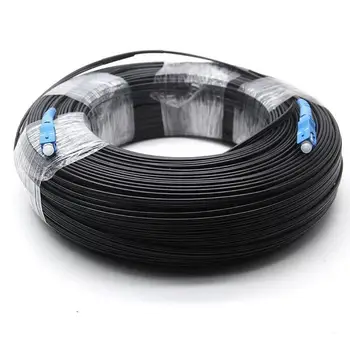
| Fiber optic Cable |
|
SC-SC Fiber optic cable, the KVM comes already with and LC-SC adapter,
make sure to match you connector / cable type. |
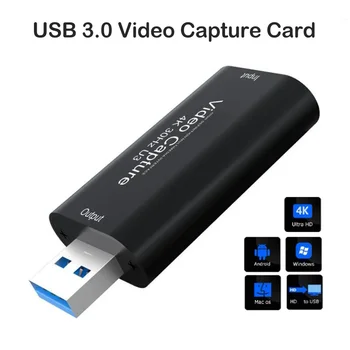
| Video Capture Card |
|
This video capture card will convert HDMI signal to USB, an OTG is
supplied with this card so you can hook it to your smartphone an watch
live video. |
Cables and connectors
| Items | Preview / Link | Description / Notes |
|---|---|---|
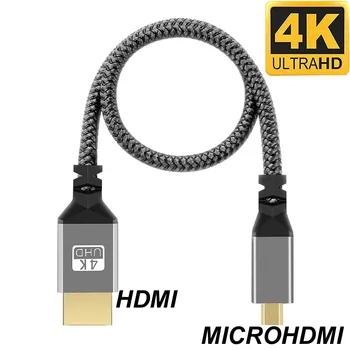
| Micro HDMI cable |
|
Action cameras have micro HDMI port so you will either use this cable
or a regular HDMI cable with an adapter. |
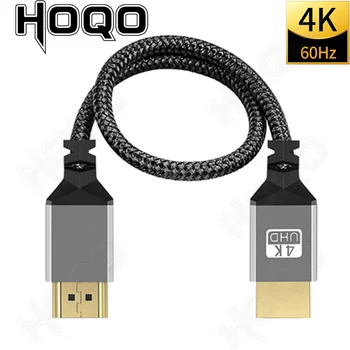
| HDMI cables |
|
better to use short ones 0.3 meter for the transmitter box to gain space, it can be rolled and inserted in the plastic box. |
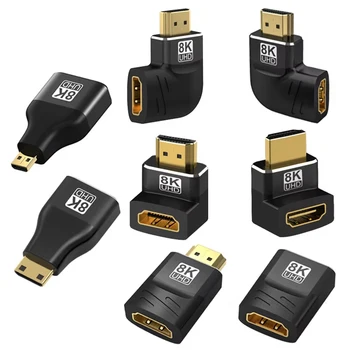
| HDMI adapters |
|
In case you don't have space to fit the micro HDMI cable and Camera
inside the plastic box, use these adapters to control the HDMI cable
direction |
| DC to USB cables |
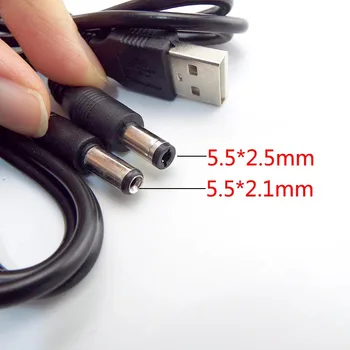
|
Since we are powering the KVM Transmitter and Receiver from the
power-banks these cables are required. |
| USB hub |
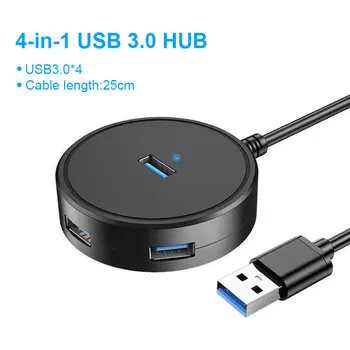
|
Will serve as a switch to turn on box 1 (Transmitter) and box 2
(Receiver) |
| Emergency LED Lamp |
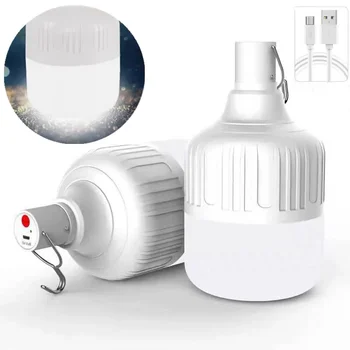
|
Action cameras have no flash, so an emergency LED lamp is need to
light your hole. |
Hardware and others
| Items | Preview / Link | Description / Notes |
|---|---|---|
| Well pulley |

|
To be purchased locally, chose one that suits your setup (size and
material) |
| Food Boxes |

|
Find Plastic boxed that fit your borehole well and allow room to house
the electronics (Camera, KVM, Power-bank and USB hub) |
|
4mm Polypropylene Plastic Rope 200m |

|
To be purchased locally. |
| 2mm Zip ties + electrical tape |
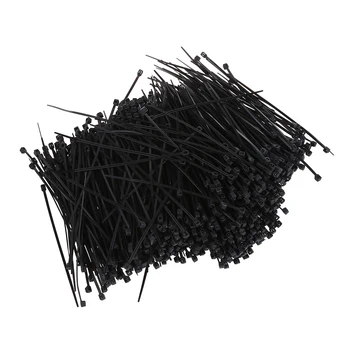
|
You will need a lots of these (min 200 pieces) to couple the fiber
optic cable / PP rope. |
Assembly and Installation
Here are the steps I followed to assemble all the electronics, cables,
connectors and hardware parts together, you may have a different configuration
than mine but the steps should be the same.
Step 1: Fit the electronics inside the plastic boxes
Find food plastic boxes that fit your borehole/pipe diameter, for my case the pipe diameter is 355 mm which is gave me plenty of room to chose any box. The plastic boxes need to allow space to fit the camera, power-banks, KVM transmitter or receiver, and the USB hub + cables for each box.
Box 1 (Transmitter)
The first box is the most important one, it's the one that will go down your
well, it's the trickiest as it will host the Camera,
KVM Transmitter, power-bank and USB hub that will act as
a switch. You may need a micro HDMI adapter + HDMI Angle adapter to control
the camera / cable orientation.

|
| DIY borehole well inspection camera - Box 1 (Transmitter) Side View |

|
| DIY borehole well inspection camera - Box 1 (Transmitter) Top View |
Depending on your plastic box choice you will need to
make holes in this box: a hole to fix the camera, a hole for the camera
lens at the bottom and holes to run cables. For my case I had to lay the KMV
and power-bank horizontally with ports facing upwards, so I had to make holes
on the lid too.
Box 2 (Receiver)
The second box is very simple, will only host the KVM receiver and the power-bank, you can use the DC adapter that comes with your KVM if you have a near source of power and want save money, but a power-bank will allow you to go fully portable and even charge your phone for longer inspection sessions, a USB hub is needed and will act as a switch.

|
| DIY borehole well inspection camera - Box 2 (Recevier) |
Depending on your plastic boxes choice and configuration you may need to make holes for the DC, HDMI and fiber optic ports, as once you close this better to not open it again.
Step 2: Optic fiber cable + PP rope spool
Rope / Cable coupling
I cut 204 meters from the 400m 4mm polypropylene spool I bought, and
using 2mm zip ties I manually coupled it with the 200m
fiber optic cable, I allowed approx 2 meters of extra rope from both
ends, I used like 1 tie + 2 PVC tape attachments every 1 meter length, left
0,5m of loose fiber optic cable on both ends.

|
| Rope / Cable coupling |
This operation is may take some time (that's 200 zip ties and 400 tape
attachments) so be patient or find someone to help you, make sure you
keep track and sync the rope/cable and you don't tighten the ties too
much.
Make a spool
Once you finish joining the plastic rope and fiber optic cable, they need to
be
spooled, the first end will be fixed while the other end will go down
the well. To make a custom spool I used a piece of PVC tube and
attached flanges (removed from other spools) to the sides to secure
cable/rope combo from slipping.

|
|
Make a spool |
Spool your PP rope / fiber optic cable mix, and try to manually guide it left and right while spooling so that it spreads evenly and not stack in one location. The final spooled bobbin should look like this.

|
|
polypropylene rope + Fiber optic cable spool |
Step 3: Secure and organize all connections
Before doing any tests, make sure everything is secure and in correct order
:
Depending on your well pulley choice (plastic or metal), you may need
to find a way to brake the pulley and limit the motion, I placed a
rubber piece the sides of the wheel to serve as break pads and it
worked well, I also added a few rounds of PVC tape on the pulley track
to reduce friction and protect the rope/cable.

|
|
Pass your rope / cable around the pulley
|
Make sure the fiber optic end remains loose and relaxed all the time,
and the entire weight of the transmitter box (Camera+KVM+ Power-bank) is fully
carried by plastic PP rope.
The LED lamp needs to be placed flush / the same level with the camera
lens to give best results inside the well pipe, you can attach it on the
transmitter box using PVC tape at the dive moment. The finished
assembly should look like this :

|
|
DIY live inspection camera assembly
|

|
| DIY live inspection camera assembly |
Step 4 : Plug & Play (Camera Drop Simulation Test)
On your smartphone/tablet you need to install USB Camera App to use the video capture card and watch live video. You can record video from the same app or use Android screen capture feature to record both media + mic to comment over the recording.
You need to make sure the camera standby (Power Saver + Screen Saver) functions are turned off, I used the camera without battery so that it turns on as soon as it plugged to the power-bank.
Find a place where to hang your well pulley to simulate a dive, I used the
door slide lock catch as it's high enough to test, turn on your electronics
and enjoy the view on your smartphone. Here is what my dry test looked like :
My DIY borehole live inspection camera in action
I was super excited to test my homemade inspection camera and at
same time afraid humidity and water would cause any short circuit so I wrapped
a plastic bag around the transmitter box + LED lamp leaving an opening from
the bottom side. I was also worried the fiber optic cable won't support the
load although it's carried by plastic rope and for a moment I felt like
gambling... I started lowering slowly, and to my surprise everything worked
very well ! See the video below where I started recording at
110 meters deep.
As shown in the video above, my DIY camera allowed me to discover that the well has collapsed at 110m deep which explains why the fishing hook was not catching anything, I did other inspections after poring water inside well to see whether it could help unclog and flush the collapsed earth but it did not work.
I gave it another day, to check again whether it's the water level or if the hole is still clogged, and I got the deception in HD. I'm planning to give it another try, with a different fishing tool that I designed, as there is a bit of steel cable and a chunk of galvanized pipe still popping above the collapse I may be able to grab them...
Why I Built It This Way
I wanted to build an inspection camera the fastest and cheapest way
possible, minimize the expenses and skip expensive USB extenders, I opted to
go inspect first then decide about the waterproof feature later which proved
to be right (I found no water and the well collapsed).
Since
my main objective was to investigate what is stuck inside the well first, and
borehole well video inspection services cost about the same budget,
building this DIY camera to see what is happening at 110 meters deep
was more than a deal even if it worked for one session!
-I'm satisfied-
What this DIY Camera is good for
- People with a borehole well
- DIY mindset
- Don’t want to spend lots of money.
- Fishing assistance to pull stuck object out from your well.
- Live video capture.
What this camera is not for
- Underwater inspection.
- Small borehole wells.
Problems & Limitations
- The Main problem with this setup is that it requires 2-3 people to operate it: one to hold the rope/cable, another to guide & un-spool the bobbin, while everyone can watch.
-
The coupled PP rope / FO cable slips occasionally from the well pulley.
-
Zip ties and PVC tape are just temporary job, they will not hold forever and
the rope/cable couple will detach de-sync sooner or later.
If I Had to Do It Again
Proper Design
In my initial design I ignored that what I had in mind was bigger than what I
could realize IRL with a limited budget, I wanted to make a design that
includes a frame, a manual spooling winch system with a
self-reversing screw to guide the rope/cable, then mid way I realized
that at the top I have to find solution to an
electro-mechanical problem
: I need to transmit signal from a rotating end to a stationary end, so I
spent hours designing and 3D printing parts to realize it's not as easy as it
looks.

|
| DIY borehole well inspection camera - Sketchup 3D Model |

|
|
DIY borehole well inspection camera - initial design |
I completely forgot about the idea, went ahead and did a straightaway
plug & play thing: (camera, transmitter, lamp and power bank)
to go down the well, then (receiver, power bank and HDMI capture
device) above at my end to watch live on my phone and record the
inspection. For a future design, instead of building a frame from a drawer
tray trash, I would probably do a proper work like this guy on YouTube :
Future Design Challenges
Challenges will be mainly budget wise, one needs to have access to industrial electronics that you won't find at any corner, I did not do any search or estimation yet, but I know that the required budget to do a proper work would be the same price of a commercial borehole well inspection camera.
Hybrid Fiber Optic Cables
We need to send both power and video signal down the hole, hybrid cables exist
for this reason, but they are expensive, but they are a must and will skip the
power-bank trick.
Slip rings
As stated above, these are required to transmit data and power between the rotor side and the stator side, while USB slip rings are available and cheap, HDMI slip rings are expensive, which makes a the decision to chose between USB or HDMI signal in the future design a bit critical.

|
|
USB and HDMI Slip Rings |
Camera choice (USB camera over KVM extender)
Although action cameras are cheap, the video quality is beyond what is required for similar jobs (1080P is already enough), they have wide lenses and live HDMI output port, they seem to be the perfect fit but we can do better.

|
| UVC converter (USB Video Class) |
It is possible to extend any USB camera, webcam or waterproof endoscope with the same KVM extender I used in my DIY camera setup, with help of an UVC converter (USB Video Class), this gives freedom to chose any design feature like a rotating lens, a camera module etc... all while sending HDMI signal. This is a huge advantage as cameras that support optical cables are very expensive and make no difference compared to what I did in my experiment (action camera + KVM).

|
| DIY inspection Camera - Alternate Setup Diagram |
Going fully waterproof
A Stainless steel or PVC case design is required to host the camera and
transmitter, it needs to be small preferably a tube shape to fit all borehole
well pipes diameters, and of course waterproofing the case will be
another serious task to work on. This
DIY underwater CCTV inspection camera example would be a perfect
inspiration.
Interface
Instead of a smartphone, why not some Raspberry Pi, to control everything ;
the motor to lower and raise the camera, turn on and off lights, may be dual
camera, with a touch screen to watch & control at the same time.
Conclusion
Although this DIY camera design seems very simple,
plug & play, no rocket science and may be chaotic and risky at the
same time, I consider this simple invention as a success! I was able to
do 6 live video inspection sessions at 110 meters deep in HD, while
keeping everything intact like new, electronics I bough can be re-used or sold
at anytime, which is like making an inspection for free or almost free.
Curiosity
killed the cat, but satisfaction brought it back, your wonderful comments
!!!

No comments:
Post a Comment